← Showcase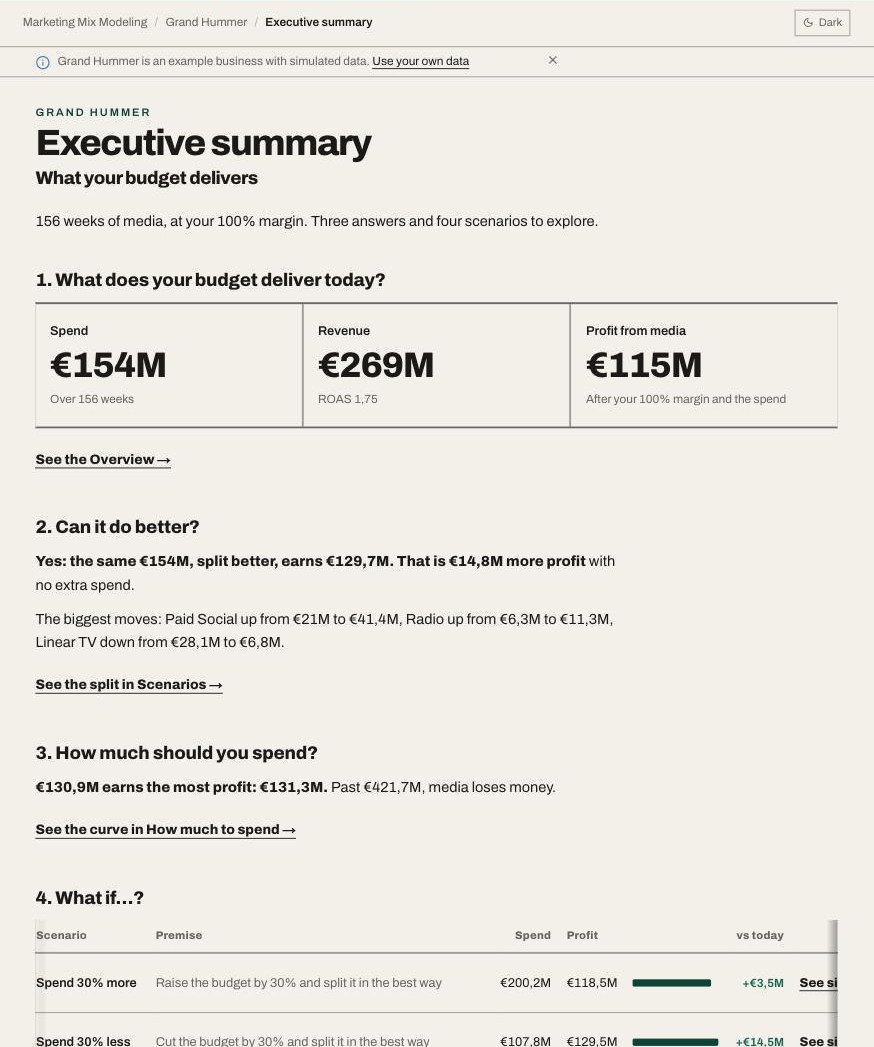
In use · private access
Marketing Mix Modeling
Optimise your budget and defend your choices with numbers.
01
Model and curves
- model_get
- What the model says: its channels, today's spend and what the next euro on each would return.
- curve_get
- How much to spend in total: where profit peaks and where media stops paying.
- plan_grid_get
- Where each channel stops paying for itself, step by step.
- catalog_get
- Which models exist and which one is shown by default.
- glossary_get
- Plain definitions of the terms, and why each one changes a decision.
02
Scenarios
- scenario_list
- Every plan you saved, with what the model predicted for it.
- scenario_get
- One saved plan in full: every move, who made it and why.
- scenario_save
- Save a plan with its reasons, so it can be defended in a meeting.
- scenario_export
- A saved plan as a one-page PDF for the meeting.
- board_export
- The model's reading for the committee, as a one-page PDF.
03
Optimise and simulate
- optimize
- The best split of your budget under your own limits.
- simulate
- What a split you choose would return, against today.
04
Templates
- template_files_list
- The two sheets to fill in, blank and with a worked example.
- templates_save
- Upload your two filled-in sheets and get every problem listed, cell by cell.
- templates_get
- Check an upload: what was filled in for you and what needs fixing.
05
Model diagnostics
- artifact_get
- Any detailed piece of the model, the same one the screens read.
Account, Queue, Settings
Account
- connection_check
- Check that your connection works, and what to do if it does not.
- whoami
- Who you are signed in as, and today's date.
Queue
- queue_create
- Ask for a model to be trained from your upload.
- queue_list
- See where your training requests are.
Settings
- settings_get
- Your margin, your budget and the period you plan for.
- settings_save
- Change your margin, your budget or the names of your channels.
Under the hood
28 tools in 8 families. The 22 you work with are below; the rest are admin-only.
See every tool in the catalog →